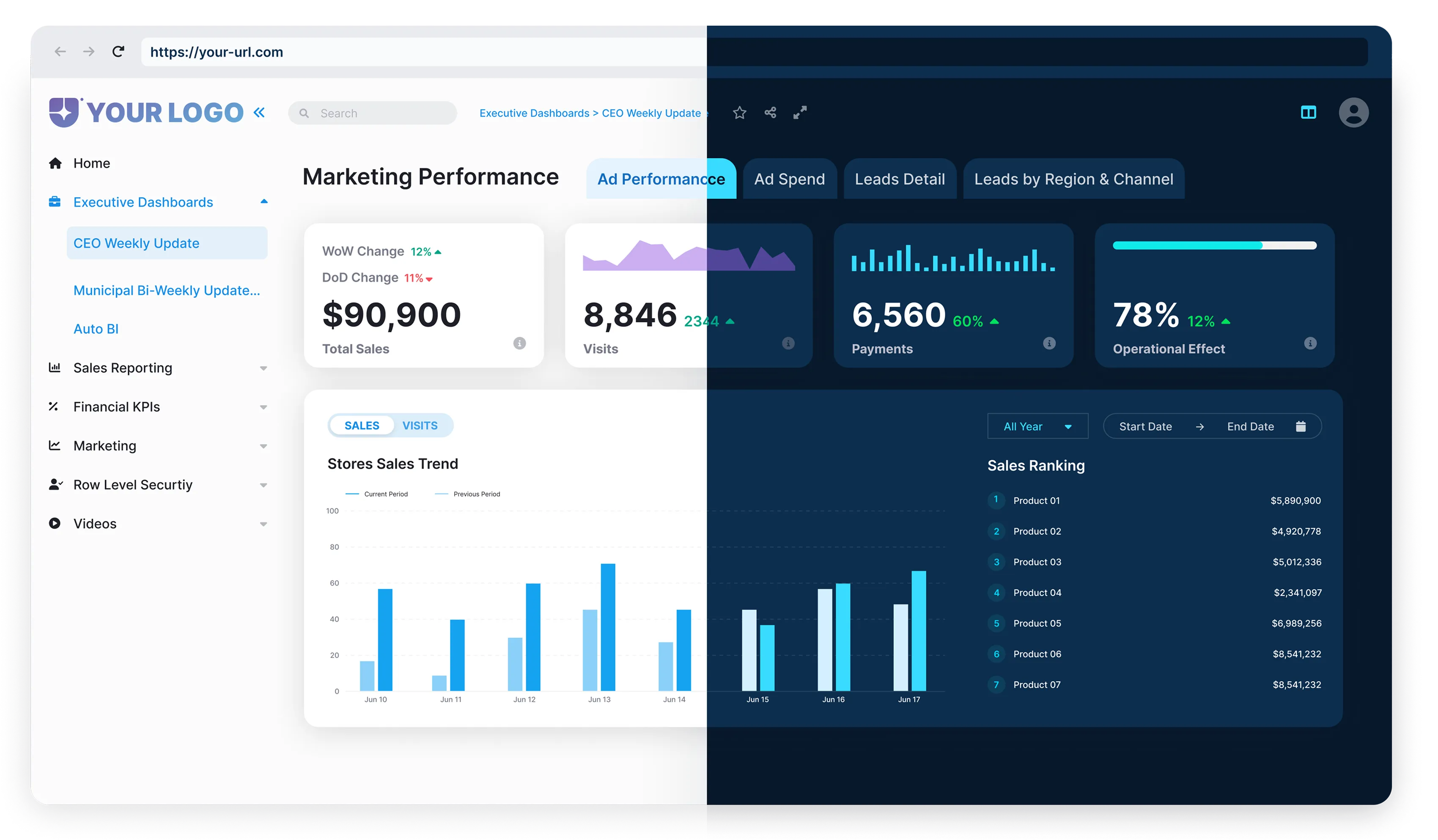


Modern agencies face rising expectations for transparency and data access. Clients no longer accept static updates; they want interactive, on-demand insights.
Power BI Embedded allows agencies to meet this demand by embedding branded dashboards into secure client portals. These solutions are fast to deploy, easy to customize, and can be tailored to match each client’s branding, security, and data needs. This post explains how agencies can resell data portals with Power BI Embedded, deliver more value to clients, and scale their reporting services more efficiently.
The Rise of White-Labeled Data Portals
White label analytics platforms began gaining traction in the early 2010s, as demand for scalable, client-facing reporting grew. Early solutions offered basic embedding features, but over time, they evolved into fully branded, secure portals that agencies could deliver under their name. As cloud infrastructure matured, software vendors began offering multi-tenant platforms (allowing multiple clients to be served from a single environment, each with isolated data access) with built-in access controls, strong performance, and flexible customization.
Today, as clients expect real-time insights on demand, agencies are increasingly turning to white-labeled analytics portals. These tools meet modern expectations without requiring agencies to build complex platforms from scratch.

White label analytics refers to rebranding and reselling third-party analytics software under your own identity. Instead of investing in custom development, agencies deliver insights through a ready-made platform maintained by the vendor.
The vendor handles the backend performance, updates, and security while the agency applies its branding: logo, domain, and styling. The result is a portal that feels tailor-made. Clients receive dashboards and reports in a polished, on-brand environment.
But this isn’t just about aesthetics. White label portals reduce overhead, accelerate delivery, and free up resources for insights and strategy. They also unlock new revenue streams.
Agencies can monetize access, offer premium features, and generate recurring income without the burden of building or maintaining the platform themselves.
Even if your dashboards have rich visuals and KPIs, inconsistent or difficult user experiences cause people to stop using them. More than half of executives admit they don’t regularly turn to their company’s dashboards, not because data isn’t important, but because the experience doesn’t meet their expectations.
What is Power BI Embedded and Why It Matters
Power BI Embedded is Microsoft’s analytics-as-a-service platform built for external delivery. It’s ideal for agencies, consultants, and SaaS vendors who want to integrate dashboards directly into their apps or client portals, without showing the Power BI interface. Everything connects through APIs, backed by secure authentication using a service principal or master user, so clients interact with real-time reports through a polished, branded experience.
Instead of sending PDFs or granting access to workspaces, teams can deliver analytics as part of their product. It’s fast, scalable, and tailored to the user.
Key advantages of Power BI Embedded:

White-labeling and full brand control
Power BI Embedded lets providers remove all Microsoft branding. The interface can be fully customized with the agency’s logo, domain, and color scheme, so clients feel like they’re using a proprietary product. It creates a seamless experience that strengthens trust and reinforces brand identity.

Secure, multi-client management
Agencies can manage multiple client accounts from a single environment. Power BI Embedded supports row-level security, object-level, and role-based access, making it easy to isolate data between tenants and control who sees what. There’s no need to build multiple workspaces or juggle access permissions manually.

Real-time, personalized reporting
Reports update automatically and can be personalized for each user. Whether a client wants to see only their specific metrics or access organization-wide data, the system adjusts accordingly. This reduces overhead for internal teams while giving clients exactly what they need, when they need it.

No need for end users to access Power BI directly
Clients interact with embedded dashboards without needing separate Power BI accounts or accessing the Power BI service interface. This removes friction and makes data more accessible to non-technical users.

Faster deployment without custom infrastructure
Power BI Embedded is ready to go. Instead of building a reporting solution from scratch, teams can integrate pre-built dashboards into their stack and go live quickly. It eliminates the need for additional infrastructure or custom development, reducing both cost and time-to-market.

What is Power BI Embedded and Why It Matters
Agencies no longer need to build analytics platforms from scratch. With Power BI Embedded, it’s easy to create scalable, branded portals that deliver real-time insights to clients.
What Makes It Effective:

Self-service
Non-technical users can slice data, filter views, and generate insights without IT support.

User-friendly
Interactive dashboards are intuitive and visually rich.

Customizable
Each client can receive a tailored experience, from report layout to data sources.

Real-time data
Reports stay up to date, pulling from multiple live data sources.

Actionable insights
Embedded analytics help users take action immediately within the app.

Advanced capabilities
AI, predictive modeling, and natural language Q&A enhance value.
What is Power BI Embedded and Why It Matters
Agencies no longer need to build analytics platforms from scratch. With Power BI Embedded, it’s easy to create scalable, branded portals that deliver real-time insights to clients.
Here’s a simple roadmap:
What to Look for in a Power BI Delivery Platform
When selecting a Power BI delivery platform, agencies should prioritize flexibility, control, and ease of use.
Key features include:

White-label readiness
The platform should support full rebranding – logo, colors, and domain, so clients interact with the agency’s brand, not Microsoft’s.

Azure deployment control
Agencies should have the option to deploy in their own Azure environment for maximum compliance, data residency control, and security.

Low-code or No-code setup
A strong delivery platform enables report embedding, user provisioning, and access management without writing code.

Multi-client access management
The platform must support segmented access per client or workspace, with user-level permissions and scalable role assignment.

Optional: plug-and-play AI assistants
Built-in AI querying can enhance the client experience, offering fast answers and insights from semantic models without needing to explore dashboards manually.

How Reporting Hub Simplifies This for Agencies
Reporting Hub gives agencies a powerful way to resell Power BI Embedded data portals with ease. It offers simple white-labeling, fast Azure hosting, and a no-code setup, so teams can launch quickly without technical hurdles. Agencies manage multiple clients securely from one platform using role-based access controls. AI-driven querying tools make data more accessible and actionable, adding real value for clients. Reporting Hub streamlines delivery, reduces complexity, and opens new revenue streams, helping agencies scale and stand out.
This ready-to-use BI portal provides full branding and access control, helping optimize licensing usage without requiring additional developer resources. Agencies can deliver Analytics-as-a-Service to unlimited users, build secure, custom-branded portals, and own the entire user experience, without needing developers.
For agencies looking to simplify Power BI delivery and grow their business, Reporting Hub offers a turnkey, scalable solution.
.webp)
.webp)