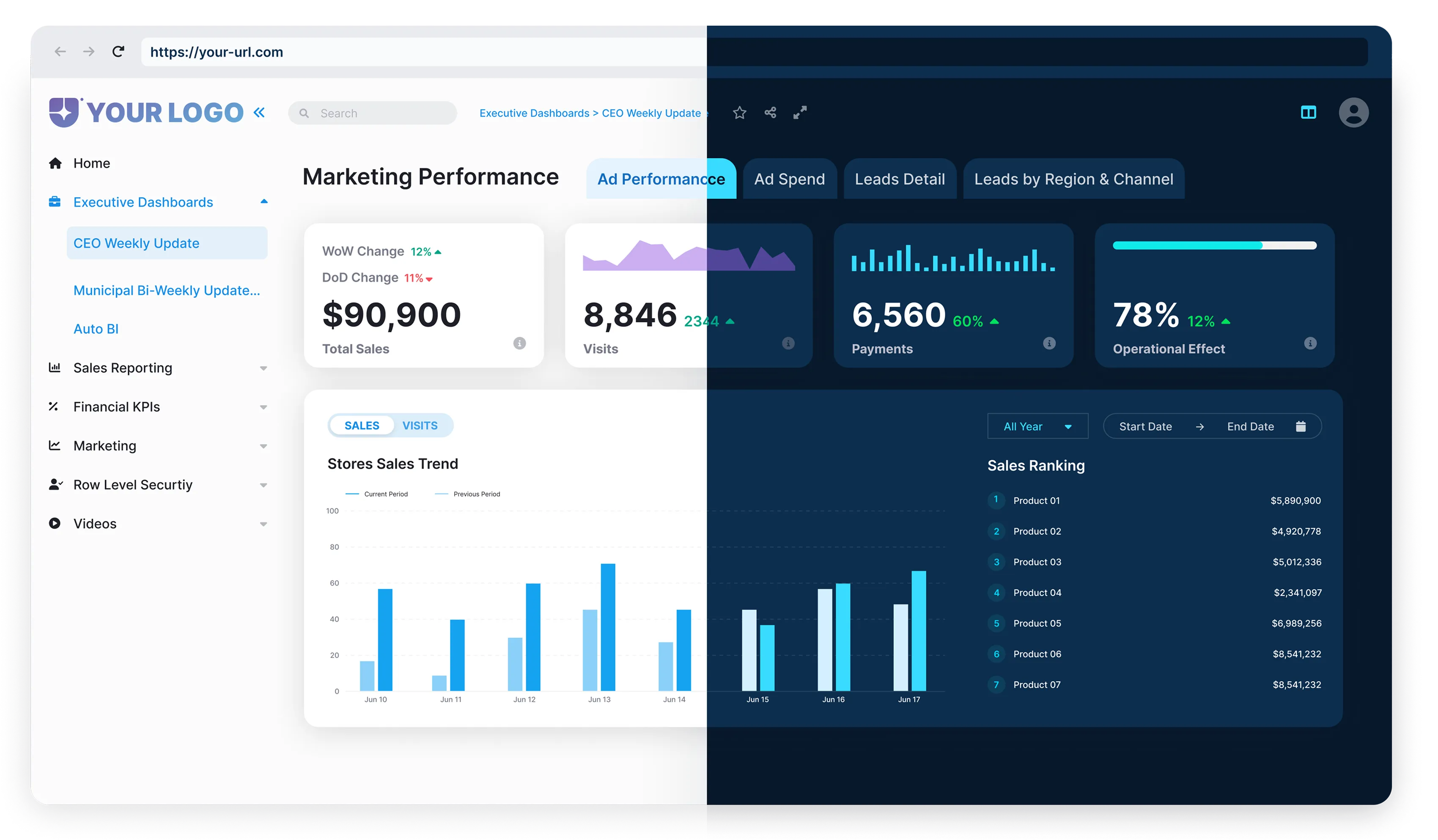


When done right, an embedded BI portal should feel like a natural extension of your product, though this depends on your tech stack and user needs. For example, real-time data workflows may require more customization than static reports. However, many dashboards still feel like they were built for analysts, rather than for real users trying to answer questions quickly. That’s where human-centered design comes in.
In this post, we’ll explore what it means to design embedded BI portals with people in mind, and how you can use these principles to boost adoption, clarity, and long-term value.
What Is Human-Centered Design in BI?
Human-centered design is all about creating tools that are truly useful by focusing on the people who use them. It means understanding their goals, the decisions they need to make, and the actions they want to take.
In BI, that goes beyond just showing charts. It’s about designing a comprehensive experience that supports the entire decision cycle, from identifying trends to testing hypotheses and taking action. That might mean telling a clear story with the data, or building features right into the dashboard that let users respond in real-time.
For teams tired of clunky workarounds and copy-pasting data, Power BI is a major upgrade.

For example, if the request is to display distributor sales and current inventory, it might seem like a standard dashboard will suffice. But once you understand how users will interact with the data, you may find they need more than visibility; they need to make decisions directly from the insights.
With Reporting Hub, you can design an embedded BI experience that brings those insights closer to action. Users can explore trends, plan purchases, and monitor performance, all within a single, intuitive interface. It’s about turning dashboards into tools people use to move work forward.
HCD doesn’t ignore the technical power of your BI portal. It simply ensures that power is accessible to those who need it, without requiring a PhD in data science.

What Is Human-Centered Design in BI?
Designing for usability often takes a backseat to getting the data and visuals right. But poor user experience can break even the most technically advanced dashboards.
Common issues include:
.webp)


The Reporting Hub’s Power BI dashboards address these challenges directly. It offers clean, intuitive layouts with only the most relevant visuals. Simple navigation ensures users know exactly where to start and how to explore data. It’s mobile-responsive, so users can engage with dashboards from anywhere. With self-service tools, users can explore, customize, and gain insights on their own, boosting adoption and ROI.
Principles of Human-Centered Design for BI Portals
Even the best dashboards fail when usability is ignored. Design is often an afterthought. But if users struggle to navigate, the dashboard fails, no matter how good the data looks.

What Human-Centered BI Looks Like
Here’s what BI looks like when it’s built around the user.



When BI is built with humans in mind, people don’t struggle. They engage. They explore. They make faster, better decisions. That’s the power of human-centered design. It turns dashboards into tools people want to use daily.
What Human-Centered BI Looks Like
We built Reporting Hub to make it easy for teams to deliver embedded BI portals that feel seamless, smart, and purpose-built, Reporting Hub includes features like role-based views and white-label customization, which help teams align BI portals with user needs but success depends on iterative testing with your audience, with the full power of Power BI Embedded behind them.




Whether you’re building for customers, partners, or internal teams, Reporting Hub gives you the foundation to design better and faster.
Build a Better Embedded BI Portal
A great BI experience isn’t about how much data you can show; it’s about how easily your users can act on it.
With Reporting Hub, you can build embedded BI portals that are both powerful and personal.
Ready to see it in action?
.webp)
.webp)