



When key metrics start shifting, decisions need to be made quickly. But manually tracking KPIs in Power BI and reacting to every change? It can become overwhelming. By automating alerts and escalation, you stay on track while ensuring important information reaches the right people at the right time.
KPIs are great for measuring progress. They help answer the question, “What am I ahead or behind on?” and they measure how far you are from a goal. A typical KPI visual in Power BI helps evaluate a metric against a defined target, with a base measure, a target value, and a threshold or goal.
Once you set up automation, you don’t have to worry about missing important shifts in your KPIs. You can set notifications to alert you when those thresholds are crossed, and create escalation steps to ensure the right decision-makers are informed fast.
What Are Power BI Alerts and Why Do They Matter?
Power BI alerts are automated notifications that keep you informed about critical data changes. These alerts help you track important metrics without constantly monitoring Power BI Dashboards. You can set them up on tiles in personal or shared dashboards, with the option to use them in Power BI Pro workspaces.
However, many users need more flexibility. Power BI limits alerts to a specific threshold, but Reporting Hub streamlines this by offering multiple ways to share Power BI reports and scheduled reports, ensuring everyone gets only the insights that matter to them.

Notifications

Updates

Insights

Teams & Clients
Power BI Dashboards: Real-Time Updates for Better Decisions
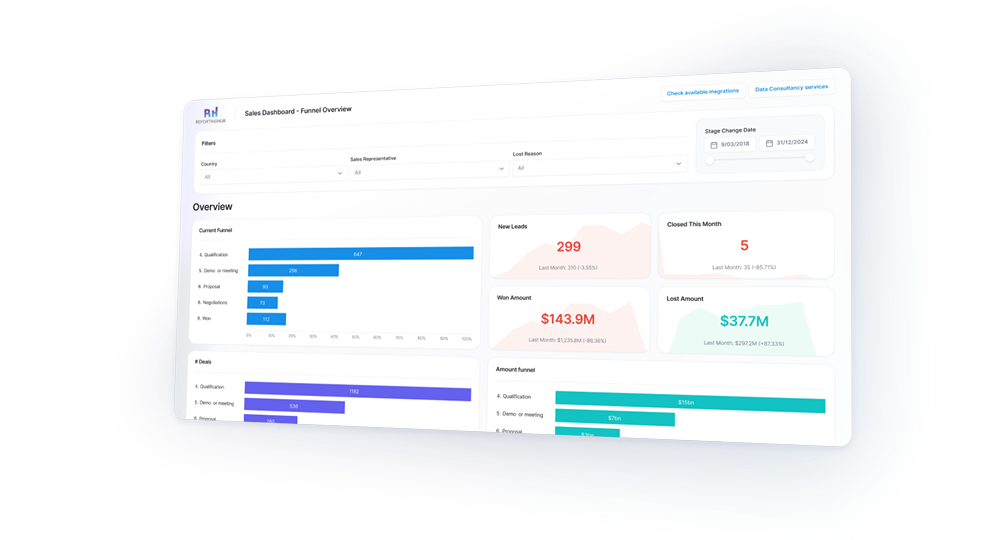
A well-designed dashboard gives you a real-time view of your key metrics. It pulls data from on-premises and cloud sources, creating a single source of truth. With clear visuals and interactive elements, it helps teams track performance and spot trends instantly.
Power BI dashboards are more than static reports. They refresh in real-time, keeping insights up to date. Whether monitoring sales, operations, or customer behavior, you always have the latest data at hand. But creating dashboards is just one part of the process. Sharing them efficiently can be a challenge, especially when reaching a broad audience without extra licensing costs.
That’s where Reporting Hub helps. Built by analytics experts, this Microsoft-endorsed no-code solution makes sharing Power BI content simple. It ensures the right people get the right insights—without added complexity.
Quick Alerts with Dashboard Visuals
Setting up alerts on Power BI dashboards is simple.

.png)
How to Set Up Simple and Effective Alerts in Power BI Dashboards
Dashboard alerts are a good starting point if you’re working with basic data and want an easy way to stay informed about important changes.
Here’s how you can set up alerts in Power BI:

Pin a Visual to the Dashboard
First, you need to pin the visual you want to track to your dashboard. Open your report, find the visual (like a KPI, card, or gauge), and click the Pin icon. Select the dashboard you want it to appear on, or create a new one.

Open the Dashboard
Once your visual is pinned, go to your dashboard. You can find it in your Power BI workspace, where all your data is displayed.

Locate a Supported Visual
Look for the tile with a supported visual, such as a KPI or card. Power BI only supports specific visuals for alerts.

Access Alert Settings
Click the three dots (...) on the tile and select “Manage Alerts.” This will bring up the settings where you can customize your notifications.

Set Alert Conditions
Here, you can define what triggers the alert. For example, you could set an alert to notify you when a value goes above or below a specific threshold, like sales exceeding 3.2 million Euros. Remember, these alerts only work for basic conditions and can’t track more specific data like customer-specific thresholds.

Save the Alert
Once you’ve set the conditions, save your alert. Power BI will then monitor your data and send notifications when the conditions are met.
Why You Should Use Dashboard Alerts: Key Benefits
Simple, quick, and effective. With just a few clicks, dashboard alerts make it easy to stay informed.
Here’s why you’ll find them so useful:

Super Simple Setup
No technical skills required—just a few clicks and you’re good to go.

User-Friendly Interface
Easy to navigate, making setup and management a breeze.

Instant Notifications
Get real-time updates via email or within Power BI when data changes.

Flexible Alerts
Set alerts based on various conditions like “greater than” or “less than.”

Works for Everyone
Accessible in both free and Premium Power BI versions.
From Alerts to Action: How The Reporting Hub Enhances Power BI Notifications
Reporting Hub’s no-code portal developed for Power BI using Embedded enhances this by allowing you to share reports and alerts with unlimited users—without extra licensing.
Key features include:

Unlimited Users, No Extra Licenses
Send alerts to anyone, no Pro license required.

Role-Based Alerting
Deliver the right alerts to the right people based on roles, regions, or departments.

Branded, Secure Access
Alerts are delivered within a custom-branded portal.

Automated Report Distribution
Schedule automatic delivery of reports and updates.
Use Case: Escalating Critical Issues
Imagine a customer support team using a Power BI dashboard to track unresolved tickets.
When a ticket remains open past 48 hours, a Power BI alert triggers an escalation. Instead of just notifying one user, The Reporting Hub ensures the alert reaches the right group—first the support lead, then the manager, and finally, senior leadership if the issue persists.
This structured escalation process ensures accountability and faster resolutions.
The Bottom Line
Power BI helps track KPIs and catch important changes fast.
But checking dashboards all day isn’t practical. Automated alerts fix that. They notify the right people instantly, so nothing gets missed. Escalations make sure issues get handled quickly. No more manual tracking—just the right insights, at the right time.
