

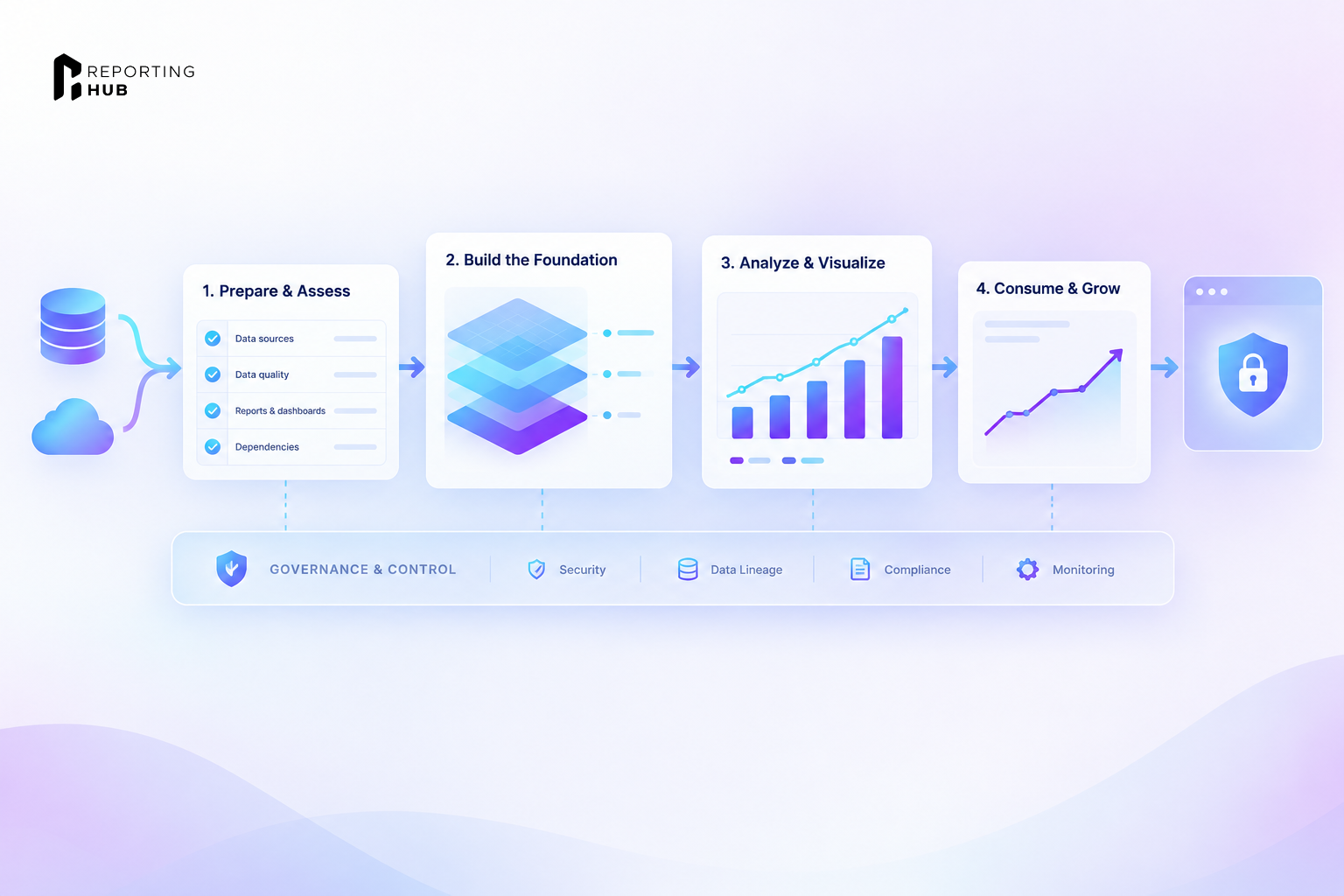


Most legacy BI migration plans budget for report conversion and spend less time on the rules that made those reports trustworthy. Who can see which rows? Which version do people rely on, and where does the audit trail live? The answers often sit in the platform you’re about to retire. That’s where this playbook starts for teams moving from IBM Cognos, SAP BusinessObjects or Oracle OBIEE to Microsoft Fabric.
Why Governance Decides a Legacy BI Migration to Fabric
Microsoft treats a BI migration as a change for the people who build and use reports. Its Power BI guidance calls for early training and ongoing support. The deployment stage also covers monitoring, so a successful cutover includes finding out if users can do their work on the new platform.
For an IT director or BI manager, the work starts with where each rule will live. A legacy platform may handle report access and scheduling in one place. In Fabric, a workspace can control who opens a report, while the semantic model controls which rows a viewer sees. Microsoft is retiring Power BI Premium per-capacity P SKUs as agreements end. Teams on those SKUs need to plan their move to Fabric F capacity.
What Fabric Migration Tooling Covers
Spectral Core brings two tools into Fabric. Omni Loader moves tables and data, while SQL Tran translates supported T-SQL into Fabric Warehouse. SQL Tran lists four sources, including SQL Server and Synapse dedicated SQL pools. Omni Loader’s free plan also lists Synapse SQL serverless, giving it five source options. Premium adds data sources such as Oracle Database.
Support for Oracle Database covers the data source. OBIEE’s report definitions and semantic layer still need their own migration plan, as do Cognos and BusinessObjects reports. The workload’s documentation describes database objects and code such as views and stored procedures. Microsoft identifies compiling the report and data inventory as one part of a Power BI migration that teams may be able to automate.
Phase 1: Assessment
Inventory content and usage
The legacy audit log helps the team decide which reports to move. Run counts and last-run dates show how often a report comes up. Viewer counts show how widely a report is used. A separate list of data sources can uncover departmental files or systems that IT didn’t know the reports used.
In one migration Microsoft describes, the old platform held thousands of published reports. About half had been accessed in the previous year. The team narrowed that group by about half again when it identified the reports that delivered significant value. Those reports went first, while rarely used reports became candidates for retirement.
Record the governance baseline
The inventory needs to show what the old platform enforces. This record gives the team something to compare against when it tests the Fabric version.
Report estimates also need room for surprises. In Microsoft’s customer example, consultants estimated 50 days to convert one complex report. The redesigned Power BI report took about 50 hours. Estimates across a group of reports can help with budgeting. For any single report, the work depends on how much of the original design the team needs to keep.
Phase 2: Preparation
Map legacy rules to Fabric
Before content moves, the team needs a record of the Fabric tenant settings and a plan for managing workspaces. If individual business units run their own workspaces, the plan assigns local responsibility as well as tenant-wide decisions. The legacy inventory can then show where each rule belongs in Fabric.
Model-level row-level security (RLS) can apply to Import and DirectQuery models. With supported DirectQuery connections, the source can also apply its own rules when the connection passes the viewer’s identity. Fabric has data-level controls for SQL analytics endpoints, warehouses, Direct Lake and KQL databases. Certification requires authorization through Fabric’s settings, which a Fabric admin can delegate to domain admins.
Rebuild the semantic layer around shared models
One customer in Microsoft’s migration series focused first on visuals and ended up with many Power BI Desktop files, each with its own report and model. That left the team maintaining copies of data and business logic. Shared semantic models let several reports use the same definitions. During preparation, the team decides which models to share across workspaces. Endorsement and discovery in the OneLake catalog help report authors find models they can reuse.
Phase 3: Implementation
A small proof of concept helps the team test its approach before rebuilding a full set of reports. The first builds can go into a development workspace, where the team checks how they behave in the Power BI service. A pilot group can then try the reports before a wider release.
Validate the new reports
Matching totals is one check. The pilot also needs to show that users have the right access and can do their usual work.
The old report’s layout can change if the new version still answers the same business question. In some cases, keeping the same report features helps the team meet the migration date. Improvements can follow once users have a working replacement.
Phase 4: Optimization
The migration scorecard tracks old and new usage together. Report runs and viewer counts can show which groups have moved to Power BI. The team can also track changes in licensing costs and update its targets each month. The Power BI activity log supplies usage data for the new platform.
The OneLake catalog’s Govern tab shows governance status and recommended actions. A named owner can review findings such as gaps in endorsement or stale data and send them to the right team. Those findings can feed the next review of workspace and model ownership.
Give users time and support
People who know the old tool well may need time to get used to the new reports. A clear retirement date tells them when their daily work needs to move. Peers can help with common questions, while the central BI team or Center of Excellence can handle issues users can’t solve through an internal group.
Extending Governed Analytics Beyond Your Organization
Some migrated reports may serve customers or partners outside your tenant. Reporting Hub provides a branded Power BI portal that runs in your Azure environment. It works with Power BI Embedded, Fabric capacity and supported Power BI Premium setups. Power BI connects to the report’s data sources, while the portal stores its own settings and audit logs in Azure. You pay for the Azure services through your Azure subscription, separately from the Reporting Hub fee.
Checks before retiring the old platform
The cutover review brings the old rules and the new setup together. Each item below has an owner before the legacy platform goes offline.
Frequently Asked Questions
Does Spectral Core migrate Cognos, BusinessObjects or OBIEE reports?
Spectral Core documents data movement and SQL translation. Its Oracle entry refers to Oracle Database. Cognos, BusinessObjects and OBIEE report definitions need a separate plan for rebuilding and testing.
Can the whole migration be automated?
Inventory work is one part that tools may handle. SQL translation and data movement also have their own tools. Report design and access tests still need someone who understands how each report is used.
Which Purview capabilities do we need?
The answer depends on which controls you need for your Fabric items. Microsoft identifies additional licensing for Information Protection and DLP. The content review in Phase 2 helps the team identify which items need those controls.
Should we rebuild every report exactly as it was?
The old report is a reference for the business question and expected figures. Usage records can help identify reports worth retiring. Preserving a familiar layout can make sense when users need an immediate replacement or a redesign would delay the release.
How should we run the legacy platform during the move?
The two platforms can run in parallel while a pilot group compares results. Usage figures help show when people have moved to Power BI. The legacy platform can retire once users have a working replacement and the team has saved the records it needs to keep.
References
- Spectral Core. SQL Tran for Fabric Warehouse. spectralcore.com, 2026.
- Spectral Core. Omni Loader for Fabric. spectralcore.com, 2026.